
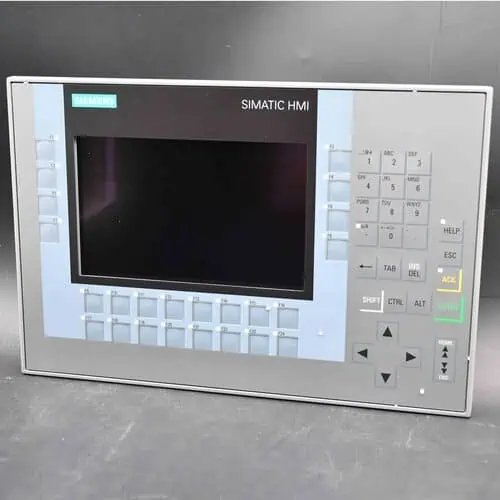
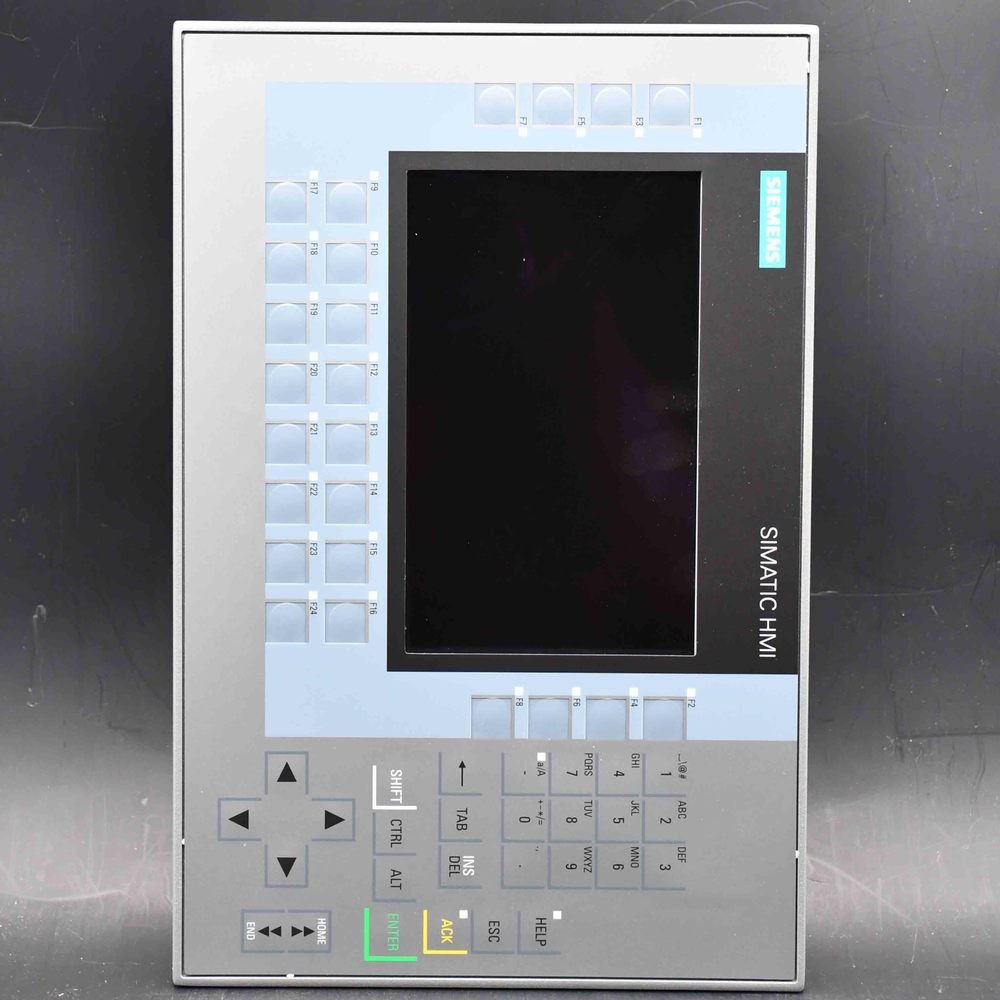
Siemens SIMATIC HMI TP1900 Comfort (6AV2124-0UC02-0AX1) — a 19″ widescreen TFT Comfort Panel with touch operation, 1366×768, 16 million colors, PROFINET plus MPI/PROFIBUS DP interfaces, 24 MB configuration memory, WEC 2013, configurable from WinCC Comfort V14 SP1 + HSP. Genuine Siemens HMI, original sealed packaging.
| Manufacturer | Siemens (Original Brand) |
|---|---|
| Product Line | SIMATIC HMI TP1900 Comfort — Comfort Panel (19" widescreen TFT 1366×768, touch only, PROFINET + MPI/PROFIBUS DP) |
| Condition | Original factory sealed panel (pedestal / supporting foot sold separately) |
| What's Included | Original factory sealed panel |
| Lead Time | In stock — ships within 48h via DHL, 3–7 days worldwide |
| Availability | In stock — quote for qty |
The SIMATIC HMI TP1900 Comfort (order number 6AV2124-0UC02-0AX1) is the 18.5-inch resistive panel at the top of the standard Comfort range — 1366 × 768 on a screen you can read from a step back, landscape or portrait in a cabinet cutout. Siemens phased it out in October 2024, so it is now a replacement and spare-part panel, not a new-design choice.
| Brand / Family | Siemens — SIMATIC HMI Comfort Panels, standard devices |
|---|---|
| Order Number | 6AV2124-0UC02-0AX1 |
| Display | 18.5-inch widescreen TFT, 1366 × 768 px, 16.7 million colors |
| Touch | Analog-resistive, single point — pressure, not capacitance |
| Mounting | Cabinet cutout 465 × 319 mm; landscape or portrait permitted |
| Communication | PROFINET (2-port switch + separate port), MPI/PROFIBUS DP, 2 × USB 2.0, 2 × SD |
| Engineering | WinCC Comfort V14 SP1 with HSP (TIA Portal) — 24 MB memory, WEC 2013 |
| Lifecycle | PM400 — phase-out since 1 October 2024; successor MTP1900 (6AV2128-3UB06-0AX1) |
| Availability | On request — condition and quantity confirmed per order |
The 19-inch class is not “a bigger 15-inch panel”. Resolution stayed the same while the glass grew, so the pixels got larger — and that changes who can read the screen. Where the operator stands at arm’s length watching a fault text beside a running conveyor, a large low-density screen beats a sharper small one. Four trend windows side by side still land in the readable zone, and a gloved hand pressing the front registers where a fingertip on glass might not.
Three buyers still have a use for this order number: replacing a failed unit where housing, cutout and TIA device all match, so the line restarts without mechanical rework; stocking a spare for a plant that already runs several, because a stopped line costs more than a panel on a shelf; and shipping a spare with an existing machine order.
What it is not is a Comfort PRO. No support arm, no extension unit, no capacitive glass, no sealed rear — the back opens into the enclosure by design, because it belongs in a cabinet door, not on a machine frame in a washdown zone. For a new project the honest answer is the MTP1900 below.
| Item | Specification |
|---|---|
| Display | 18.5-inch widescreen TFT; 1366 × 768 px; display area 409.8 × 230.4 mm; 16,777,216 colors; LED backlight dimmable 0–100%, MTBF 50,000 h at 25 °C |
| Operation | Analog-resistive single-touch screen; 40 direct keys usable as S7 input I/O; on-screen numeric and alphanumeric keyboards; no physical function keys |
| Mounting | Cabinet cutout 465 × 319 mm; front 483 × 337 mm; overall depth 75 mm; landscape or portrait; max inclination 35° without external ventilation |
| Interfaces | 2 × Industrial Ethernet PROFINET (2-port switch + separate port); 1 × RS-422/485 for MPI/PROFIBUS DP; 2 × USB 2.0; 2 × SD card slots |
| Processor / memory | X86 platform; 24 MB user memory; hardware clock with battery buffer (typically 6 weeks) |
| Operating system | Windows Embedded Compact 2013 (WEC 2013) |
| Supply | 24 V DC, permissible 19.2 – 28.8 V DC; rated current 1.7 A; typical power input 41 W; inrush I²t 0.5 A²s |
| Protection | IP65 at the front, IP20 at the rear; NEMA 4 / 4X at the front only |
| Ambient temperature | 0 °C to +45 °C in landscape or upright; 0 °C to +40 °C in portrait; 0 °C to +35 °C at maximum inclination; transport/storage −20 °C to +60 °C |
| Housing | Aluminium front, plastic rear, for flush mounting in an enclosure door |
| Engineering software | WinCC Comfort V14 SP1 with HSP (TIA Portal); TIA V14 SP1 requires Update 4 or later to show the device in the catalogue |
| Weight | 6.580 kg as shipped, packaging 52 × 66 × 22 cm; panel alone 5.6 kg |
| Approvals | CE, cULus, RCM, KC, EAC; RoHS compliant; hazardous-area ratings in the data sheet |
Data per the Siemens product documentation and Mall entry. Verify cutout and cabinet depth against the current data sheet before the enclosure is cut — plate thickness and flatness decide whether the front seal actually seals.
A sharp screen rewards the operator who leans in; a large one rewards the operator who does not. On an enclosure door in a busy cell, the person reading the alarm stands back — behind a guard, beside a pallet, holding a tool. Growing the glass while holding the pixel count gives the text physical size, and physical size survives at a metre and a half. The trade: dense faceplates look coarse beside a full-HD panel of the same diagonal.
Resistive touch is chosen for what the operator wears and holds: thick gloves, oily fingers, a stylus, a wet hand. The cost is mechanical. The front is a flexible layer over the display, it registers one point at a time, and it wears where the same buttons are pressed shift after shift. On a screen driven by fixed on-screen buttons, treat the touch foil as a consumable, like contact tips.
Both orientations are permitted, which matters on narrow enclosure doors, vertical andon columns and machine backs where width is scarce. Siemens attaches a penalty: upright, the ambient ceiling drops, and leaning it over drops it further. Plan the orientation before the cooling — and note the PRO housings are landscape only, so this flexibility stops at the PRO range.
| Characteristic | TP1900 Comfort — this page | TP1500 Comfort PRO (0QC24) |
|---|---|---|
| Screen diagonal | 18.5 in | 15.6 in |
| Resolution | 1366 × 768 px | 1366 × 768 px |
| Touch technology | Analog-resistive, single point | Projective-capacitive, multi-touch |
| Enclosure protection | IP65 front, IP20 rear | IP65 front and rear |
| Orientation | Landscape or portrait | Landscape only |
| Mounting | Cabinet cutout, 465 × 319 mm | Support arm or pedestal, no cabinet cutout |
| Engineering | WinCC Comfort V14 SP1 + HSP | WinCC Comfort V14 SP1 + HSP |
| Panel weight | 5.6 kg | 7.3 kg |
Identical pixel count, identical engineering software, and yet no project moves between them untouched: the TIA device type, the touch behaviour and the physical envelope all differ. Treat the shared resolution as a layout convenience, never as an interchangeability guarantee.
Four things decide whether the machine restarts on the same shift: cutout, depth behind the door, 24 V supply, and the project. Replacing an older -0AX0 keeps the housing but not the platform — that revision ran Windows CE 6.0 and WinCC Comfort V11 SP2, this one needs V14 SP1 with the HSP. An old archive has to be opened, recompiled and downloaded, so put an engineering seat next to the electrician. With a golden project on an SD card, no laptop is needed at the machine.
This detail ruins upgrade budgets. The successor does not drop into the hole this panel leaves: Siemens specifies a smaller cutout for the MTP1900, so the existing opening is oversized on all four sides, and a straight swap leaves a visible gap and a front that no longer seals. The remedy is the 19-inch adapter frame, 6AV6881-6UD41-0AA0, which fills the old opening down to the new footprint — an accessory, not in the box with either panel.
The display gains resolution, the touch becomes capacitive and multi-point, the USB ports move to a newer standard, and the panel sits slightly shallower. The real work is engineering: the MTP1900 runs WinCC Unified Comfort, a different system with a different device type. Screens do not port one to one, and the migration is a project with a schedule.
| At replacement time | Same type — 6AV2124-0UC02-0AX1 | Successor — MTP1900 (6AV2128-3UB06-0AX1) |
|---|---|---|
| Mounting cutout | 465 × 319 mm | 448 × 278 mm |
| Depth in the door | 75 mm | 73 mm |
| Adapter frame needed | None — existing opening | 6AV6881-6UD41-0AA0, ordered separately |
| Resolution | 1366 × 768 px | 1920 × 1080 px |
| Touch | Analog-resistive, single point | Capacitive, multi-touch |
| USB ports | 2 × USB 2.0 | 4 × USB 3.1 Gen 1 |
| Engineering | WinCC Comfort V14 SP1 + HSP | WinCC Unified Comfort V16 or later |
| Project effort | Restore and recompile | Rebuild in WinCC Unified |
Cutout and depth figures for the successor come from the Siemens Unified Comfort installation documentation; the adapter-frame assignment is stated in the associated ATEX type examination certificate. Confirm both before ordering — an oversized opening cannot be closed by a mounting clip.
The panel couples to SIMATIC S7-1200, S7-1500 and S7-300/400 over PROFINET, MPI or PROFIBUS DP, with Modbus TCP/IP and EtherNet/IP covering third-party controllers. The RS-422/485 port is the way into older MPI networks, one reason this type survives in retrofits where the controller was never migrated. The 15-inch TP1500 Comfort is the same platform in a smaller door footprint, and the 22-inch TP2200 Comfort is the next size up.
PM400, phased out on 1 October 2024. Availability now comes from channel stock, confirmed per order rather than taken from a catalogue status.
The 6AV2128-3UB06-0AX1, MTP1900 Unified Comfort: same 18.5-inch diagonal, full-HD resolution, capacitive multi-touch, configured in WinCC Unified Comfort V16 or later.
Not directly. This panel needs 465 × 319 mm and the MTP1900 448 × 278 mm, so the old opening is larger all round. The 19-inch adapter frame 6AV6881-6UD41-0AA0 bridges the difference — a separate accessory, not in either panel’s scope of supply.
Analog-resistive, so it responds to pressure and registers one touch at a time. Capacitive glass and multi-touch belong to the Comfort PRO range, not to this standard panel.
Yes, both orientations are permitted. Portrait reduces the allowed ambient temperature and maximum inclination reduces it again, so the orientation and the cooling have to be decided together.
The platform, not the housing. The earlier revision ran Windows CE 6.0 and was configured from WinCC Comfort V11 SP2; this one runs WEC 2013 and needs V14 SP1 with the HSP. TIA versions before V14 SP1 Update 4 may not list the order number.
WinCC Comfort V14 SP1 with the hardware support package, in TIA Portal, on 24 MB of project memory. WinCC Basic and WinCC Unified do not apply to this device.
No. Both screens are 1366 × 768, but the TIA device type, the touch behaviour and the enclosure all differ. A project has to be rebuilt for this device, not re-targeted.
No. The two SD slots and two USB 2.0 ports let a prepared project card do the job on site — many plants keep a known-good card with the spare panel in stores.
On-screen buttons can be mapped as S7 inputs, so a touch press reaches the controller as an input bit without a remote I/O drop or a button box. A wiring saving, not a substitute for an emergency stop.
Zone 2, Zone 22 and Division 2 are listed for this type. The rating that applies is the one on the unit’s nameplate and covered by its certificate — check that plate, and do not assume Zone 1.
The panel occupies 75 mm behind the door, and the installation instructions also require clearance behind the housing for ventilation and connectors. Add the bend radius of your PROFINET cable.
Siemens positions the TP1900 as successor to the 15-inch MP 377 Touch; the 19-inch MP 377 is served by the 22-inch class. Cutouts differ between generations, so measure the opening instead of assuming a like-for-like swap.
Genuine Siemens hardware, sourced through Siemens-authorized distribution partners, condition stated on every quote; CAN Electric is an independent channel trader, not Siemens and not a factory-authorized distributor. Send order number, quantity, condition, delivery country and old nameplate details to sales@can-electric.com for USD pricing and DHL lead time.
6AV2124-0QC24-0AX0SIMATIC HMI Comfort Panel PRO● On Request
6AV2124-0QC24-0BX0SIMATIC HMI Comfort Panel PRO● On Request
6AV2124-0QC24-1AX0SIMATIC HMI Comfort Panel PRO● On Request
6AV2124-0UC24-0AX0SIMATIC HMI Comfort Panel PRO● On Request
6AV2124-0UC24-0BX0SIMATIC HMI Comfort Panel PRO● On Request
6AV2124-0UC24-1AX0SIMATIC HMI Comfort Panel PRO● On Request
6AV2124-0XC02-0AX0SIMATIC HMI Comfort Panel● On Request
6AV2124-0XC02-0AX1SIMATIC HMI Comfort Panel● On Request
6AV2124-0XC24-0AX0SIMATIC HMI Comfort Panel PRO● On Request
6AV2124-0XC24-0BX0SIMATIC HMI Comfort Panel PRO● On Request
6AV2124-0XC24-1AX0SIMATIC HMI Comfort Panel PRO● On Request
6AV2124-1DC01-0AX0SIMATIC HMI Comfort Panel● On Request
6AV2124-1GC01-0AX0SIMATIC HMI Comfort Panel● On Request
6AV2124-1JC01-0AX0SIMATIC HMI Comfort Panel● On Request
6AV2124-1MC01-0AX0SIMATIC HMI Comfort Panel● On Request
6AV2124-1QC02-0AX1SIMATIC HMI Comfort Panel● On Request
6AV2124-2DC01-0AX0SIMATIC HMI Comfort Panel● On Request
6ES7511-1AL03-0AB0SIMATIC S7-1500 CPU 1511-1 PN (station, Profinet)● On Request
CAN Electric is an independent channel trader. Genuine Siemens products are sourced through Siemens-authorized partners — we are not Siemens itself, and condition and delivery are confirmed on each quote. Lifecycle statements follow the Siemens product status at the time of writing.
We will contact you within 1 working day, please pay attention to the email with the suffix “allen@can-electric.com”.