
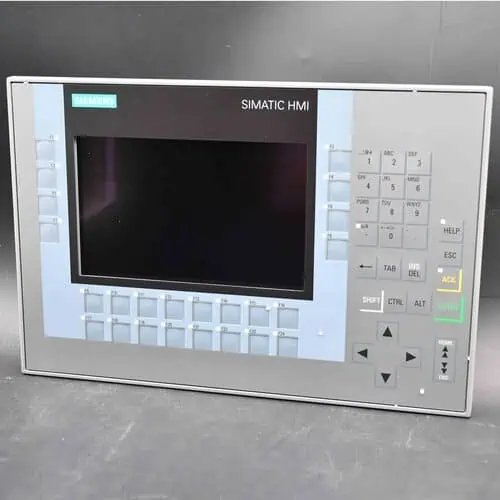
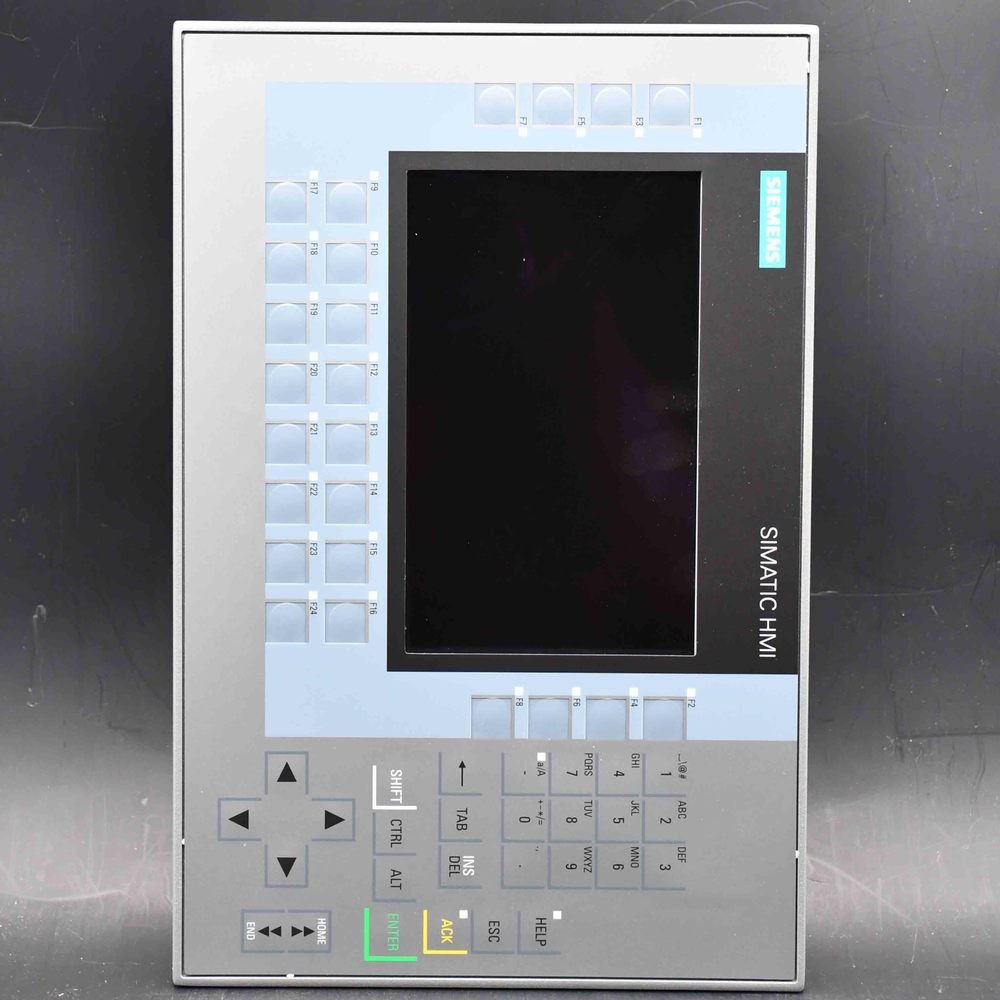
Siemens SIMATIC HMI TP1500 Comfort (6AV2124-0QC02-0AX2) — the reworked, spare-part compatible 15.4″ widescreen TFT Comfort Panel with resistive touch, 1280×800, 16 million colors, PROFINET plus MPI/PROFIBUS DP interfaces, 24 MB configuration memory, WEC 2013, configurable from WinCC Comfort V14 SP1 + HSP, ambient temperature up to 45 °C.
| Manufacturer | Siemens (Original Brand) |
|---|---|
| Product Line | SIMATIC HMI TP1500 Comfort — reworked version -0AX2 (15.4" TFT 1280×800, resistive touch, PROFINET + MPI/PROFIBUS DP, max 45 °C) |
| Condition | Original factory sealed panel (pedestal / supporting foot sold separately) |
| What's Included | Original factory sealed panel |
| Lead Time | In stock — ships within 48h via DHL, 3–7 days worldwide |
| Availability | Quoted per order (phase-out model, stock varies) |
SIMATIC HMI TP1500 Comfort 15-inch Touch Panel ATEX/IECEx Zone 2/22 (order number 6AV2124-0QC02-0AX2) is the revised 15-inch Comfort panel — the code Siemens released in March 2023 to keep the 15-inch TP1500 available for the spare-parts market, and the normally orderable code for this size. It carries the Comfort Panel Ex approval for Zone 2 and Zone 22 (marking II 3 G Ex nA IIC Tx Gc / II 3 D Ex tc IIIC T 70 °C Dc IP65, certificate DEKRA 11ATEX0005X), and its rating is 0 – 45 °C vertically rather than the 50 °C of the original 0AX1. Production of this size ended on 1 October 2024; supply now comes from stock and the spare-parts channel, with 6AV2128-3QB06-0AX1 (Unified Comfort) as the successor.
| Brand | Siemens |
|---|---|
| Order Number | 6AV2124-0QC02-0AX2 — revised code (0AX2) |
| Product | SIMATIC HMI TP1500 Comfort 15-inch Touch Panel ATEX/IECEx Zone 2/22 |
| Product Family | SIMATIC HMI Comfort Panels — standard devices |
| Display | 15.4-inch widescreen TFT, 1280 × 800 px (WXGA), display area 331.2 × 207 mm, 16.7 million colors |
| Operation | Analog-resistive touch screen; no physical function keys; 40 direct keys configurable as S7 input I/O |
| Interfaces | 2 × Industrial Ethernet PROFINET (2-port switch plus independent port) + 1 × MPI/PROFIBUS DP (RS-422/485) + 2 × USB 2.0 + 2 × SD card slots |
| Power Supply | 24 V DC (19.2 – 28.8 V DC); rated current 1.7 A, typical power input 41 W |
| User Memory | 24 MB (Windows Embedded Compact 2013, X86) |
| Configuration | WinCC Comfort V14 SP1 with HSP — device selected in TIA as the 0AX1 code |
| Front Bezel / Cut-out | 415 × 310 mm bezel, panel cut-out 396 × 291 mm, recess depth 73.2 mm |
| Protection | IP65 (front) / IP20 (rear) — NEMA 4 / 4X |
| Operating Temp. | 0 °C to +45 °C vertical; 0 °C to +40 °C portrait or at 35° tilt |
| Ex Approval | ATEX/IECEx Zone 2 / Zone 22 — II 3 G Ex nA IIC Tx Gc; II 3 D Ex tc IIIC T 70 °C Dc IP65; DEKRA 11ATEX0005X. Also FM Class I Div. 2. Confirm the marking on the device nameplate |
| Lifecycle | PM400 — phase-out announced 01.10.2024, EOP 2024-10-01; successor 6AV2128-3QB06-0AX1 (Unified Comfort) |
| Net Weight | 5.46 kg |
| Ships From | Hong Kong — DHL worldwide |
| Availability | On request — confirm per order |
This is the second order code of the 15-inch SIMATIC HMI TP1500 Comfort. The hardware is the standard Comfort panel of that size: 15.4-inch widescreen TFT at 1280 × 800, 24 MB of configuration memory, Windows Embedded Compact 2013, PROFINET with an integrated switch plus a separate MPI/PROFIBUS DP port, two SD slots, and a 396 × 291 mm cut-out. What makes this page different from the original 0AX1 code is not the specification — it is how the part is supplied, what its temperature ceiling is, and which certificates are on its nameplate.
Siemens states the reason for the revision plainly: to secure the long-term spare-parts supply of the 15-inch Comfort panel, the device was revised and given a new article number, released for delivery from March 2023. Function, housing and installation dimensions are unchanged, and Siemens describes the two codes as spare-part compatible — a 0AX2 unit goes into an existing 396 × 291 mm cut-out and takes the existing project without mechanical or software rework.
That matters because of where this size is in its life. The 15- to 22-inch Comfort panels moved to PM400 (phase-out announced) on 1 October 2024 — earlier than the 4- to 12-inch sizes — and the Siemens product-status field for this order number shows EOP 2024-10-01, end of production. In other words, the panel is no longer being built. Everything supplied now comes from remaining production stock and the spare-parts channel. That is exactly the scenario the 0AX2 revision was created for, and it is why we confirm availability per order rather than quoting from a stock figure.
The single hard difference between the two codes is the ambient temperature ceiling: the 0AX1 is rated to 50 °C in vertical mounting (55 °C with restrictions), the 0AX2 to 45 °C, aligned with the 19- to 22-inch Comfort panels. Everything else — resolution, memory, interfaces, cut-out, power draw, weight class — is the same. If your enclosure runs above 45 °C at the panel intake, the 0AX2 is not the right part and you need the 0AX1; above 50 °C neither variant is rated, and the answer is cabinet cooling, not a different panel.
The Comfort Panels carry an Ex approval, and this order number is the one whose certificate set is documented to include IECEx and ATEX alongside the standard industrial approvals. The marking is II 3 G Ex nA IIC Tx Gc for gas and II 3 D Ex tc IIIC T 70 °C Dc IP65 for dust, certified under DEKRA 11ATEX0005X. Read the section below before you specify it for a hazardous area — the category digit 3 is the part that decides whether your installation is covered, and it is the part most buyers misread.
Buyers who order a TP1500 Comfort regularly receive a carton labelled 0AX2 when their purchase order said 0AX1, and assume something went wrong. Nothing did. The two codes are the same device at two points in its production life, and the ordering routes differ:
| Item | 6AV2124-0QC02-0AX1 (original) | 6AV2124-0QC02-0AX2 (this page) |
|---|---|---|
| Introduced | Original release | Revised version, deliverable from March 2023 |
| Reason for the change | — | To secure the long-term spare-parts supply of the 15-inch size |
| Function, housing, cut-out | Identical — 396 × 291 mm cut-out, spare-part compatible in both directions | |
| Ambient temperature, vertical | 0 – 50 °C (55 °C restricted) | 0 – 45 °C |
| Ambient temperature, portrait / 35° tilt | 0 – 40 °C | 0 – 40 °C |
| Certificate set | Standard industrial approvals | Documented to include IECEx and ATEX — check the nameplate |
| Ordering route | Special sales release — ordered in consultation with the regional sales organisation | Normal ordering |
| Production status | Size ended production 01.10.2024 (PM400 / EOP); supply from remaining stock | |
| Successor for both | 6AV2128-3QB06-0AX1 — Unified Comfort, a different engineering platform | |
The practical reading: the 0AX1 was never a freely orderable catalogue part — Siemens lists it as a special sales release, ordered in consultation with the regional sales organisation. The 0AX2 is the normally orderable code for the same device. So when a distributor offers you a 15-inch TP1500 today, it is very likely the 0AX2, and that is compliant rather than suspicious. What you should check is the two things that genuinely differ: the temperature ceiling and the marking on the nameplate. We quote either code — tell us your cabinet ambient temperature and whether a hazardous-area certificate is required, and we will confirm which code is being supplied.
This is the section to read if the panel is going anywhere near a classified area, because the difference between a compliant installation and a non-compliant one is a single digit in the marking. Per the Siemens Comfort Panels operating instructions, the approval is:
| Item | Value |
|---|---|
| Gas marking | II 3 G Ex nA IIC Tx Gc |
| Dust marking | II 3 D Ex tc IIIC T 70 °C Dc IP65 |
| Standards | EN 60079-0:2012 + A11:2013, EN 60079-15:2010, EN 60079-31:2014 |
| EC type examination certificate | DEKRA 11ATEX0005 X (Siemens Amberg) |
| IECEx | Covered by the same certificate set — confirm the marking on the nameplate |
| North American | FM approved: Class I, Division 2, Groups A, B, C, D T4; Class I, Zone 2, Group IIC T4 |
| Equipment protection level | Gc (gas) / Dc (dust) — i.e. Zone 2 and Zone 22 only |
The 3 in II 3 G is the equipment category, and it maps to Zone 2 — an area where a flammable atmosphere is not expected during normal operation. It does not cover Zone 1 or Zone 0, and the North American equivalent Division 1 is likewise excluded (only Division 2 is approved). This is the single most common misunderstanding when a 15-inch Comfort panel is proposed for a hazardous area: “it has ATEX” is not the same as “it can go anywhere in the Ex zone drawing”. If your area is Zone 1, this device is not the answer regardless of the certificate.
The gas marking reads Ex nA IIC Tx, and Siemens annotates the x explicitly: “Temperature values, see EC design examination certificate.” There is no single T-class printed on the datasheet, because the permitted surface temperature depends on the ambient temperature of your installation. Two consequences follow. First, the T-class for your application comes from the certificate and the ambient you specify, not from a distributor’s summary table. Second, this is why the 45 °C ceiling of the 0AX2 matters twice over — it is both an operating limit and an input to the temperature class. Do not size the panel for an ambient you have not measured.
Because the approval is documented per device, the binding evidence is the Ex marking stamped on the nameplate of the unit you actually receive, together with certificate DEKRA 11ATEX0005 X. Siemens points users to FAQ 291285 for the conditions of use of HMI devices in hazardous areas; among other requirements, plugged connectors must be secured so they cannot work loose. The rear of this panel is IP20, so the installation behind the front plate is part of the assessment — the Ex approval covers the device as installed, not a bare panel lying on a bench.
Please treat this page as an introduction, not as the certificate. For a hazardous-area installation, obtain the certificate and the current operating instructions, and have the installation reviewed by whoever signs off your Ex documentation. We can supply the order number with the ex-relevant documentation referenced on the quote; we do not issue Ex assessments.
Five kelvin is the entire difference between the two codes, and it is the difference that decides which one you may install. The failure mode is not dramatic — the panel simply runs outside its specification, which voids the warranty and, in an Ex installation, invalidates the basis of the certification. So measure before you order:
| Measured ambient at the panel intake | Verdict |
|---|---|
| Up to 40 °C, any permitted orientation | 0AX2 is within rating — the simplest case |
| 40 – 45 °C, vertical mounting only | 0AX2 is within rating; portrait and tilt are not |
| 45 – 50 °C | 0AX2 is out of rating — you need the 0AX1 (50 °C vertical, 55 °C restricted) |
| Above 50 °C | Neither variant is rated — change the cooling or the enclosure, not the panel |
There is a purchasing dimension to this as well. Because the 15-inch size has ended production, the variant that is actually available may be the one your cabinet cannot take. If your measurement lands between 45 °C and 50 °C, say so in the enquiry: that single number decides whether we can supply this code at all, and asking for “a TP1500 Comfort” without it is how a project ends up with the wrong variant on site.
| Item | Specification |
|---|---|
| Display | 15.4-inch widescreen TFT, 1280 × 800 px (WXGA), display area 331.2 × 207 mm, 16,777,216 colors, dimmable LED backlight (MTBF 80,000 h at 25 °C) |
| Operation | Analog-resistive touch screen, glove- and stylus-operable; 0 physical function keys; 40 direct keys (touch buttons as S7 input I/O) |
| Mounting | Cut-out 396 × 291 mm; bezel 415 × 310 mm; recess depth 73.2 mm; portrait and landscape permitted; vertical mounting position; max. tilt 35° without external ventilation |
| Interfaces | 2 × Industrial Ethernet PROFINET (2-port switch plus independent port) + 1 × MPI/PROFIBUS DP (RS-422/485, 9-pin Sub-D) + 2 × USB 2.0 + 2 × SD card slots |
| Memory | 24 MB user memory; SD card up to 2 GB, USB stick up to 16 GB |
| Supply | 24 V DC (19.2 – 28.8 V DC); rated current 1.7 A; typical power input 41 W; inrush current I²t 0.5 A²s |
| Operating system | Windows Embedded Compact 2013 (WEC 2013), X86; hardware clock with approx. 6-week backup |
| Protection | IP65 front / IP20 rear; NEMA 4 / 4X at the front; aluminium die-cast front |
| Ambient temperature | 0 – 45 °C vertical (this revision); 0 – 40 °C portrait or at 35° tilt; storage −20 – +60 °C; relative humidity ≤ 90 %, no condensation |
| Function scope | 6000 bit alarms, 200 analog alarms, 32 alarm classes; 500 recipes × 1000 records × 2000 entries; 50 archives × 50,000 entries; 32 online languages; 50 password levels |
| Protocols | PROFINET (IRT, MRP), PROFIBUS DP, MPI, EtherNet/IP, Modbus TCP/RTU, TCP/IP, DHCP, SNMP, DCP, LLDP, HTTP/HTTPS |
| Approvals | CE, cULus, FM (Class I Div. 2), RCM, KC, EAC; ATEX/IECEx Zone 2/22 per DEKRA 11ATEX0005 X; RoHS compliant |
| Weight | 5.46 kg net |
Values per the Siemens technical data for 6AV2124-0QC02-0AX2. Distributors quote weights between 5.40 and 5.58 kg depending on whether packaging is included — confirm the shipping weight on the quote. Verify the cut-out, recess depth and supply against the current data sheet before machining the enclosure door.
This is the operational detail that catches people out, and it is deliberate on Siemens’ part: the 0AX2 does not exist as a separate entry in the TIA Portal hardware catalogue. You configure the device as 6AV2124-0QC02-0AX1 — the original code — and the same configuration downloads to either unit. A 0AX2 arriving on site is therefore not a commissioning problem, provided the engineer knows this before opening the project.
Mechanically and electrically the swap is direct: the same 396 × 291 mm cut-out, the same 73.2 mm recess, the same 24 V DC feed at 1.7 A. Retain the existing SD card if the project and archives live on it, and check that the replacement is mounted in the same orientation — because if the original failed in a cabinet that runs at 46 °C, an 0AX2 replacement is outside its rating and the actual fault may be the enclosure rather than the panel.
The thing a replacement does not solve is the platform question. The successor 6AV2128-3QB06-0AX1 is a Unified Comfort device engineered in WinCC Unified, not WinCC Comfort, so the HMI project has to be migrated rather than copied. For a machine that is still in production with a Comfort project, keeping it on the 6AV2124 hardware is the lower-risk path while stock lasts; for a new design, the migration is better planned deliberately than forced later. Siemens provides the Data2Unified add-in and a Modernization Checker to support that conversion.
Related reading on this site: the 12-inch TP1200 Comfort if the 15-inch is physically too large, and the TP1200 Comfort PRO if the panel must be mounted outside an enclosure on a support arm or pedestal.
Engineering requires the TIA Portal with WinCC Comfort V14 SP1 and the HSP, with the device selected as the 0AX1 code. Comfort Panels are not configured with WinCC Basic and not with WinCC Unified — different engineering systems, so a project cannot be moved between them without rework. Over PROFINET, MPI or PROFIBUS DP the panel couples to SIMATIC S7-1200, S7-1500 and S7-300/400 controllers, and Modbus TCP/IP plus EtherNet/IP cover third-party PLCs and drives.
What is 6AV2124-0QC02-0AX2?
It is the revised order code of the SIMATIC HMI TP1500 Comfort — the 15-inch standard device of the Comfort Panels, with a 15.4-inch 1280 × 800 widescreen TFT, analog-resistive touch operation, PROFINET plus MPI/PROFIBUS DP, 24 MB configuration memory, Windows Embedded Compact 2013, and engineering from WinCC Comfort V14 SP1 with HSP. Siemens released it in March 2023 to secure the spare-parts supply of this size.
Why does the 0AX2 exist when the catalogue shows the 0AX1?
For spare-parts continuity. Siemens revised the 15-inch Comfort panel and issued a new article number, deliverable from March 2023, so the size could keep being supplied. Function, housing and cut-out are unchanged and the two codes are spare-part compatible. The 0AX1 was a special sales release ordered through the regional sales organisation; the 0AX2 is the normally orderable code for the same device.
Can I install it in Zone 1 or Division 1?
No. The marking is II 3 G Ex nA IIC Tx Gc / II 3 D Ex tc IIIC T 70 °C Dc IP65 — category 3, equipment protection level Gc / Dc, which corresponds to Zone 2 and Zone 22. Zone 1, Zone 0, Zone 21 and Division 1 are outside the approval. The FM approval is likewise Class I Division 2 only. “It has ATEX” does not mean it can be installed anywhere on the Ex zone drawing.
Why is there no fixed T-class on the datasheet?
Because the gas marking is Ex nA IIC Tx, and Siemens annotates the x with “temperature values, see EC design examination certificate”. The permitted surface temperature depends on the ambient temperature of the installation, so the T-class for your case comes from certificate DEKRA 11ATEX0005 X together with the ambient you specify — not from a distributor’s summary table.
My cabinet reaches 48 °C — can I use the 0AX2?
No. This revision is rated 0 – 45 °C in vertical mounting, and only 0 – 40 °C in portrait mounting or at the maximum 35° tilt. Between 45 °C and 50 °C you need the original 0AX1, which is rated to 50 °C vertically (55 °C with restrictions). Above 50 °C neither variant is rated and the enclosure cooling has to change.
Is the 0AX2 still in production?
No. The 15- to 22-inch Comfort sizes entered PM400 (phase-out announced) on 1 October 2024, and the Siemens product-status field for this order number shows EOP 2024-10-01 — end of production. Supply now comes from remaining stock and the spare-parts channel, which is why availability has to be confirmed per order rather than assumed. Siemens provisionally schedules product cancellation (PM410) for December 2027.
Why is the 0AX2 not in the TIA Portal hardware catalogue?
Deliberately, so that one configuration serves both codes. Configure the device as 6AV2124-0QC02-0AX1 and the same project downloads to a 0AX2 unit via PROFINET, PROFIBUS DP or USB file transfer. You do not need a separate project per code, and a 0AX2 arriving as a replacement does not force a re-engineering step.
Does the Ex approval require a special enclosure?
The approval covers the device as installed, and the rear of this panel is IP20 — so the installation behind the front plate is part of the assessment, not an afterthought. Siemens points Ex users to FAQ 291285 for the conditions of use, and requires plugged connectors to be secured against working loose. Have the installation reviewed by whoever signs off your Ex documentation; this page is an introduction, not the certificate.
Will a 0AX2 drop into an existing 0AX1 installation?
Yes. Same 396 × 291 mm cut-out, same 73.2 mm recess depth, same 24 V DC supply at 1.7 A, same configuration. The one thing to re-check is the ambient temperature at the panel intake: if the cabinet runs between 45 °C and 50 °C the 0AX2 is outside its rating even though it fits.
Is the touch screen capacitive or resistive?
It is an analog-resistive touch screen, operable with gloves or a touch pen, with 40 direct keys that can be configured as S7 input I/O. Projected-capacitive multi-touch on a glass front belongs to the Unified Comfort and Comfort PRO lines, not to the standard Comfort panel.
Does it have physical function keys?
No — this is the pure touch version with 0 function keys. The keyed sibling in the same 15-inch format is the KP1500 Comfort (6AV2124-1QC02-…), a separate order code with a different screen layout, so the decision has to be made before the HMI project is written.
How much power does it draw, and can I reuse the existing supply?
24 V DC with a permissible range of 19.2 – 28.8 V DC; rated current 1.7 A, typical power input 41 W, inrush I²t 0.5 A²s. That is roughly twice a 12-inch Comfort panel, so check the existing 24 V budget before swapping sizes — but a like-for-like TP1500 replacement draws the same current as the unit it replaces.
How much configuration memory does it have?
24 MB — twice the 12 MB of the 7-, 9- and 12-inch Comfort panels — plus two SD card slots for archives, recipes and project storage. The larger memory is one of the reasons the 15-inch size sits on a newer Comfort platform than the smaller panels.
What operating system does it run?
Windows Embedded Compact 2013 (WEC 2013) on an X86 platform — not Windows CE 6.0, which the 7-, 9- and 12-inch Comfort panels use. Windows CE 6.0 has been out of Microsoft support for years; WEC 2013 is the later platform, though it is also a closed legacy embedded system rather than a maintained general-purpose OS. That is one of the reasons the successor generation moves to WinCC Unified.
Can it be mounted in portrait format?
Yes — portrait and landscape are both permitted. But the rating changes with the orientation: 0 – 45 °C vertical, 0 – 40 °C in portrait mounting or at the maximum 35° tilt. Fix the orientation before you finalise the cabinet layout.
What cut-out does it need?
A panel cut-out of 396 × 291 mm, with a front bezel of 415 × 310 mm and a recess depth of 73.2 mm. Verify the cut-out, depth and clamp positions against the current Siemens data sheet before machining the door — the 12-inch TP1200 uses a 310 × 221 mm cut-out and is not interchangeable.
Is it suitable for washdown or outdoor use?
The front is IP65 (NEMA 4 / 4X) and the rear IP20, intended for installation inside an enclosure. It is not specified for outdoor, UV-exposed or wide-temperature installation — for those, the Outdoor Comfort variants are the correct choice.
What replaces it when the Comfort family ends?
Siemens names the Unified Comfort panel 6AV2128-3QB06-0AX1 (MTP1500) as the successor. It is engineered in WinCC Unified, not WinCC Comfort, so the HMI project has to be migrated rather than copied; Siemens provides the Data2Unified add-in and a Modernization Checker to support the conversion.
Is the panel genuine and new?
We supply genuine Siemens hardware sourced through established channels. Condition (new, new-surplus or refurbished) is stated on every quote, and units are inspected before dispatch. Because this size has ended production, we state the condition and the stock situation explicitly rather than implying factory-new availability.
Is CAN Electric an authorized Siemens distributor?
No — we are an independent channel trader, not Siemens. We source genuine Siemens products through Siemens-authorized distribution partners and confirm condition and delivery on your quote.
How do I get a quote and how is it shipped?
Email sales@can-electric.com with the order number, the measured cabinet ambient temperature, whether a hazardous-area certificate is required, the condition you need and the delivery country. We confirm availability and terms per order and quote in USD; shipment is from Hong Kong via DHL worldwide.
6AV2123-2DB03-0AX0SIMATIC HMI Basic Panel 2nd Generation (Key and Touch)● On Request
6AV2123-2GA03-0AX0SIMATIC HMI Basic Panel 2nd Generation (Key and Touch)● On Request
6AV2123-2GB03-0AX0SIMATIC HMI Basic Panel 2nd Generation (Key and Touch)● On Request
6AV2123-2JB03-0AX0SIMATIC HMI Basic Panel 2nd Generation (Key and Touch)● On Request
6AV2123-2MA03-0AX0SIMATIC HMI Basic Panel 2nd Generation (Key and Touch)● On Request
6AV2123-2MB03-0AX0SIMATIC HMI Basic Panel 2nd Generation (Key and Touch)● On Request
6AV2123-3DB32-0AW0SIMATIC HMI Unified Basic Panel● On Request
6AV2123-3GB32-0AW0SIMATIC HMI Unified Basic Panel● On Request
6AV2123-3KB32-0AW0SIMATIC HMI Unified Basic Panel● On Request
6AV2123-3MB32-0AW0SIMATIC HMI Unified Basic Panel● On Request
6AV2124-0GC01-0AX0SIMATIC HMI Comfort Panel● On Request
6AV2124-0GC13-0AX0SIMATIC HMI Outdoor Comfort Panel● On Request
6AV2124-0JC01-0AX0SIMATIC HMI Comfort Panel● On Request
6AV2124-0MC01-0AX0SIMATIC HMI Comfort Panel● On Request
6AV2124-0MC24-0AX0SIMATIC HMI Comfort Panel PRO● On Request
6AV2124-0MC24-0BX0SIMATIC HMI Comfort Panel PRO● On Request
6AV2124-0MC24-1AX0SIMATIC HMI Comfort Panel PRO● On Request
6AV2124-0QC02-0AX1SIMATIC HMI Comfort Panel● On Request
6AV2124-0QC13-0AX0SIMATIC HMI Outdoor Comfort Panel● On Request
6ES7511-1AL03-0AB0SIMATIC S7-1500 CPU 1511-1 PN (station, Profinet)● On Request
CAN Electric is an independent channel trader. Genuine Siemens products are sourced through Siemens-authorized partners — we are not Siemens itself, and condition and delivery are confirmed on each quote. Lifecycle and certification statements follow the Siemens product status at the time of writing; the Ex marking on the device nameplate and the EC type examination certificate are the binding documents for hazardous-area use.

We will contact you within 1 working day, please pay attention to the email with the suffix “allen@can-electric.com”.