
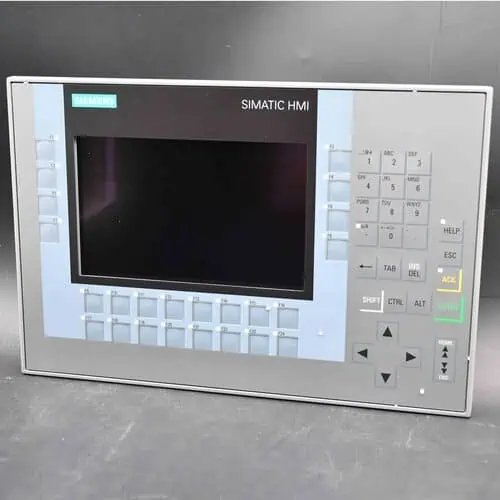
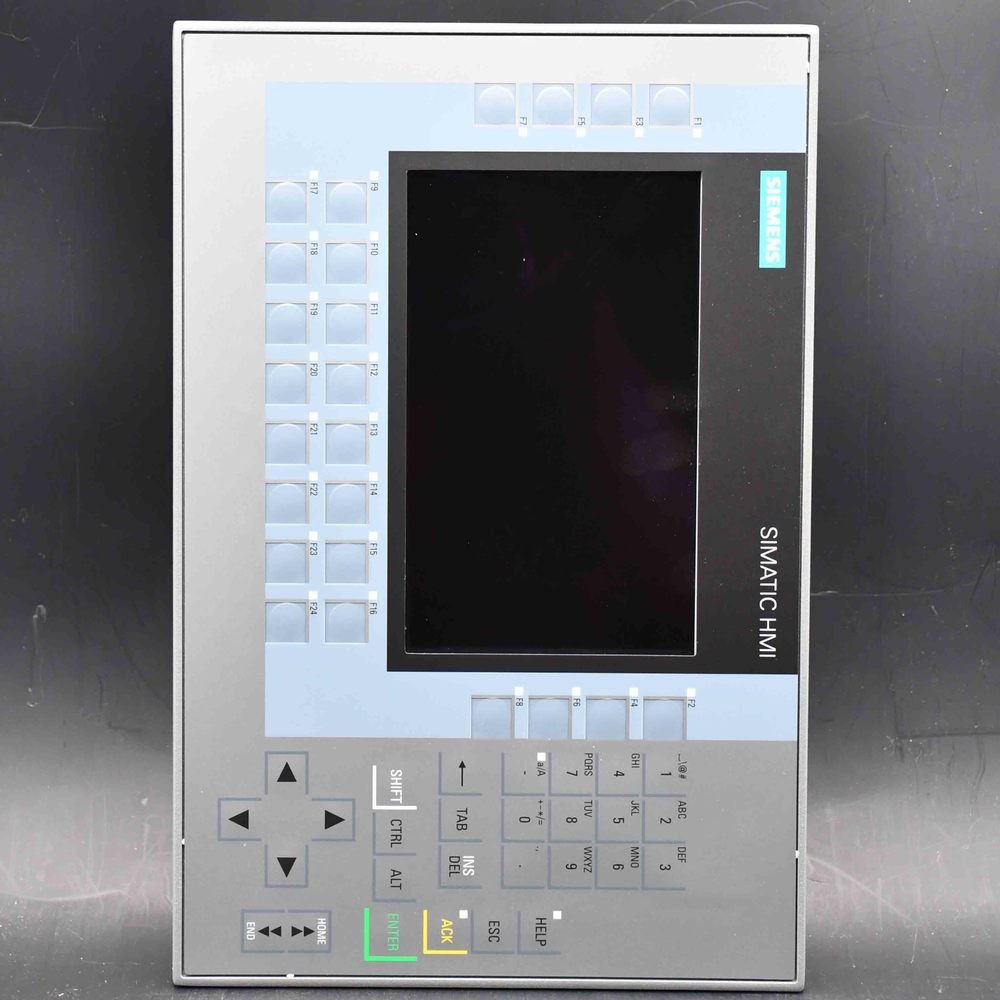
Siemens SIMATIC HMI TP1200 Comfort PRO (6AV2124-0MC24-1AX0) — a 12.1″ widescreen TFT Comfort Panel PRO for pedestal (supporting-foot) mounting, expandable, flange at bottom, projective-capacitive touch, 1280×800, 16 million colors, PROFINET plus MPI/PROFIBUS DP interfaces, 24 MB configuration memory, WEC 2013, configurable from WinCC Comfort V14 SP1 + HSP.
| Manufacturer | Siemens (Original Brand) |
|---|---|
| Product Line | SIMATIC HMI TP1200 Comfort PRO — pedestal version (12.1" TFT 1280×800, capacitive touch, PROFINET + MPI/PROFIBUS DP, expandable, flange bottom) |
| Condition | Original factory sealed panel (pedestal / supporting foot sold separately) |
| What's Included | Original factory sealed panel (flange on top; support-arm system sold separately) |
| Lead Time | In stock — ships within 48h via DHL, 3–7 days worldwide |
| Availability | Quoted per order (phase-out model, stock varies) |
SIMATIC HMI TP1200 Comfort PRO 12-inch Pedestal Panel with Bottom Flange PROFINET and PROFIBUS (order number 6AV2124-0MC24-1AX0) is the pedestal member of the Siemens Comfort Panels PRO family. It stands with its flange underneath instead of hanging from an arm or sitting in a cabinet door, and it is totally IP65 protected front and rear — the “PROtected” concept, built for cabinet-free operation directly at the machine. The front is a non-reflecting glass panel with projective-capacitive multi-touch, 12.1-inch 1280 × 800, 24 MB of configuration memory, WEC 2013, engineered with WinCC Comfort V14 SP1 with HSP, expandable with up to two Extension Units. Siemens has announced phase-out with the Unified Comfort PRO 6AV2128-3MB27-1BX0 as successor.
| Brand | Siemens |
|---|---|
| Order Number | 6AV2124-0MC24-1AX0 |
| Product | SIMATIC HMI TP1200 Comfort PRO 12-inch Pedestal Panel with Bottom Flange PROFINET and PROFIBUS |
| Product Family | SIMATIC HMI Comfort Panels PRO |
| Display | 12.1-inch widescreen TFT, 1280 × 800 pixels (WXGA), 16.7 million colors |
| Operation | Projective-capacitive multi-touch on a non-reflecting glass front (no physical function keys); 40 direct keys configurable as S7 input I/O |
| Mounting | Pedestal / supporting foot — flange at the bottom; basic adapter and bottom flange included in the scope of delivery |
| Expandability | Expandable — up to two Extension Units with hardware operator controls |
| Interfaces | 2 × Industrial Ethernet PROFINET (2-port switch plus independent port) + 1 × MPI/PROFIBUS DP (RS-422/485) + 2 × USB 2.0 + 2 × SD card slots |
| Power Supply | 24 V DC (19.2 – 28.8 V DC); rated current 1.5 A, typical power input 36 W |
| User Memory | 24 MB configuration memory (Windows Embedded Compact 2013, X86) |
| Configuration | WinCC Comfort V14 SP1 with HSP (TIA Portal) |
| Protection | IP65 front and rear (totally enclosed housing) — NEMA 4 / 4X at the front |
| Operating Temp. | 0 °C to +45 °C vertical; 0 °C to +40 °C at the maximum tilt angle of 35° |
| Front Dimensions | 313 mm × 225.5 mm, installation depth 101 mm (housing front without basic adapter) |
| Net Weight | 5.893 kg including basic adapter and bottom flange — 4.9 kg device weight without basic adapter |
| Lifecycle | Phase-out announced (PM400, effective 03.02.2026); successor 6AV2128-3MB27-1BX0 (Unified Comfort PRO) |
| Ships From | Hong Kong — DHL worldwide |
| Availability | On request — confirm per order |
The SIMATIC HMI TP1200 Comfort PRO 12-inch Pedestal Panel with Bottom Flange PROFINET and PROFIBUS is the pedestal version of the 12-inch SIMATIC HMI Comfort Panels PRO. Where the standard TP1200 Comfort is recessed into a cabinet door and clamped behind the plate, this device is a self-contained operator station: the flange sits underneath, the panel stands upright on a supporting foot or machine pedestal, and the housing is sealed on both sides. Nothing of it needs to be inside an enclosure.
A support arm needs structure above the operator: a frame, a post, an overhead beam. Plenty of machines have none. The pedestal variant solves exactly that case — the flange at the bottom bolts down onto a pedestal, a machine frame or a floor stand, and the operator station stands where the operator stands. It also suits installations where the panel must be tilted towards the operator: the permissible inclination is up to 35° without external ventilation, with the ambient temperature limited to 0 – 40 °C at that angle (0 – 45 °C when vertical).
One restriction is worth knowing before the mechanical design is fixed: portrait mounting is not permitted on this device. It is a vertical-mount, landscape-only panel.
Siemens states for this variant that mounting is done by means of the basic adapter and the bottom flange, both included in the scope of delivery. That is a real difference from the round-tube variant 0BX0, where the arm interface has to be matched to the tube you use. What is not part of the panel is the pedestal or stand itself — the flange is the interface that bolts onto your machine structure, so fix that interface before you fabricate it. If you would rather use Siemens system components, we quote the matching adapters, extension units, stainless-steel keyboard and keyboard tray with the panel.
On a built-in Comfort panel the protection rating is quoted as IP65 at the front and IP20 at the rear, because the rear disappears into a cabinet. A PRO device has no cabinet to hide in, so the whole housing is sealed: IP65 front and rear, NEMA 4 / 4X at the front. That is what makes splash zones, washdown areas and machine-mounted installation possible without an enclosure. The front is glass, not a plastic membrane — non-reflecting, scratch-resistant and chemical-resistant, with an angle of vision of up to 170°.
The Comfort Panels PRO use projective-capacitive multi-touch behind the glass, and they are specified for operation with gloves. Up to 40 direct keys can be configured as S7 input I/O, so frequently used functions get a fixed on-screen position that the controller reads like a physical input. Resistive touch remains the technology of the standard Comfort and Basic panels — it is not what is fitted here.
Up to two Extension Units in the 12- to 22-inch range can be added, each contributing hardware operator controls beside the screen. The Extension Unit interface is mechanically compatible across Comfort PRO and Unified Comfort PRO, so units bought today can be carried over to the successor device — the mechanical investment survives the platform change.
Siemens lists this order number as phase-out announced (PM400), effective 03.02.2026, with 6AV2128-3MB27-1BX0 (Unified Comfort PRO) named as the successor — note that the successor code ends in 1BX0, not 1AX0. The pedestal interface and the Extension Unit interface carry over, but the project does not: the successor is engineered in WinCC Unified Comfort V18, so moving to it is a software migration rather than a like-for-like replacement.
| Item | Specification |
|---|---|
| Display | 12.1-inch widescreen TFT, 1280 × 800 px (WXGA), display area 261.1 × 163.2 mm, 16,777,216 colors, dimmable LED backlight (MTBF 80,000 h at 25 °C), viewing angle up to 170° |
| Operation | Projective-capacitive multi-touch, non-reflecting glass front (scratch- and chemical-resistant, glove-operable); 40 direct keys configurable as S7 input I/O; no physical function keys |
| Mounting | Pedestal / supporting foot, vertical, flange at the bottom; basic adapter and bottom flange included; portrait mounting not permitted; max. tilt 35° without external ventilation |
| Expandability | Up to two Extension Units (12″ – 22″) with operator controls |
| Interfaces | 2 × Industrial Ethernet PROFINET (2-port switch plus independent port) + 1 × MPI/PROFIBUS DP (RS-422/485) + 2 × USB 2.0 |
| Storage | 24 MB configuration memory + 2 × SD card slots (SD up to 2 GB, MMC up to 128 MB, USB stick up to 16 GB) |
| Supply | 24 V DC (19.2 – 28.8 V DC); rated current 1.5 A; typical power input 36 W; inrush current I²t 0.5 A²s |
| Operating system | Windows Embedded Compact 2013 (WEC 2013), X86 platform; hardware clock with approx. 6-week backup |
| Protection | IP65 front and rear; NEMA 4 / 4X at the front; aluminium front housing |
| Ambient temperature | 0 °C to +45 °C vertical; 0 °C to +40 °C at 35° tilt; storage −20 °C to +60 °C; relative humidity ≤ 90 %, no condensation |
| Dimensions | Housing front 313 mm wide × 225.5 mm high (without basic adapter), installation depth 101 mm |
| Weight | 5.893 kg net including basic adapter and bottom flange; 4.9 kg device weight without basic adapter |
| Engineering software | WinCC Comfort V14 SP1 with HSP and higher (TIA Portal); 32 online languages, 50 password levels |
| Protocols | PROFINET (IRT, MRP), PROFIBUS DP, MPI, EtherNet/IP, Modbus TCP/RTU, TCP/IP, DHCP, SNMP, DCP, LLDP, HTTP/HTTPS, OPC UA client and server |
| Approvals | CE, cULus, RCM, KC; RoHS compliant |
Values per the Siemens technical data for 6AV2124-0MC24-1AX0; confirm the pedestal interface, the scope of delivery and the supply sizing against the current data sheet before ordering mechanical parts.
| Order number | Mounting | Expandable | Choose it when |
|---|---|---|---|
| 6AV2124-0MC24-0AX0 | Support arm, flange on top | No | The arm position is fixed and no extra operator controls are needed |
| 6AV2124-0MC24-0BX0 | Support arm, 48 mm round pipe | Yes — up to two Extension Units | There is structure above the operator and the panel should swing over the machine |
| 6AV2124-0MC24-1AX0 (this page) | Pedestal, flange at the bottom | Yes — up to two Extension Units | There is nothing overhead to hang from, or the panel must stand and tilt on a frame |
All three share the same 12.1-inch 1280 × 800 display, the same capacitive glass front, the same interfaces and the same 24 MB of configuration memory — the HMI project is identical across them. The decision is purely mechanical: where the panel physically lives, and whether you need hardware operator controls beside it.
Engineering requires the TIA Portal with WinCC Comfort V14 SP1 and the HSP; a project written for a standard Comfort panel on V11 or V13 has to be checked, and if necessary migrated, before download. The panel talks PROFINET, MPI and PROFIBUS DP to SIMATIC S7-1200, S7-1500 and S7-300/400 controllers, and EtherNet/IP, Modbus TCP/IP or OPC UA to third-party controllers, so it can sit on a mixed line without a gateway. Mechanically, plan the pedestal, the 35° tilt envelope, the rear cabling and the position of any Extension Units as one assembly — and remember that portrait orientation is not permitted. Because phase-out has been announced for this type, confirm availability before locking the design, and budget for a WinCC Unified migration when you move to the successor.
What is 6AV2124-0MC24-1AX0?
It is the SIMATIC HMI TP1200 Comfort PRO 12-inch Pedestal Panel with Bottom Flange PROFINET and PROFIBUS — a 12.1-inch Comfort Panel PRO for pedestal mounting with the flange at the bottom, with a 1280 × 800 widescreen TFT, projective-capacitive multi-touch on a glass front, totally IP65 protected front and rear, PROFINET plus MPI/PROFIBUS DP, 24 MB configuration memory, Windows Embedded Compact 2013, expandable with up to two Extension Units and engineered with WinCC Comfort V14 SP1 with HSP.
How is this panel mounted?
On a pedestal or supporting foot, with the flange at the bottom of the housing. The panel stands vertically and can be inclined up to 35° without external ventilation. Portrait mounting is not permitted, so plan a landscape orientation in the mechanical design.
Are the basic adapter and the flange included?
Yes. For this variant Siemens states that mounting is done by means of the basic adapter and the bottom flange, both included in the scope of delivery. The pedestal or stand that the flange bolts onto is part of your machine structure, not part of the panel — fix that interface before fabrication.
What is the difference between 0AX0, 0BX0 and 1AX0?
Mounting and expandability only. 0AX0 is a support arm with a top flange and is not expandable. 0BX0 is a 48 mm round-tube support arm and is expandable. 1AX0 (this device) is a pedestal with the flange at the bottom and is also expandable. Display, touch technology, interfaces and memory are identical, and the HMI project does not change between them.
Is the housing really IP65 all round?
Yes. The Siemens technical data lists IP65 at the front and IP65 at the rear, with NEMA 4 / 4X at the front. That is the point of the PRO (“PROtected”) concept: the device is designed for cabinet-free mounting directly at the machine, so there is no IP20 rear that has to be hidden inside an enclosure. The front is a non-reflecting glass panel, scratch- and chemical-resistant.
Is the touch screen capacitive or resistive?
It is projective-capacitive multi-touch behind a glass front, specified for operation with gloves, with up to 40 direct keys configurable as S7 input I/O. Resistive touch is used on the standard Comfort Panels and the Basic Panels, not on the PRO devices.
What does “expandable” mean on this panel?
It accepts up to two Extension Units in the 12- to 22-inch range, each adding hardware operator controls beside the screen. The Extension Unit interface is mechanically compatible across Comfort PRO and Unified Comfort PRO, so units bought now can be carried over to the successor device.
Is this panel discontinued?
Siemens lists it as phase-out announced (PM400), effective 03.02.2026, with 6AV2128-3MB27-1BX0 (Unified Comfort PRO) as the successor. It can still be sourced while stocks last. Note the successor code ends in 1BX0 — not 1AX0. The pedestal and Extension Unit interfaces carry over, but the project moves to WinCC Unified Comfort V18, so it is a software migration rather than a drop-in replacement.
Is this the same as the TP1200 Comfort?
No. The standard TP1200 Comfort (6AV2124-0MC01-0AX0) is recessed into a cabinet door and clamped behind the plate, has 12 MB of configuration memory, runs Windows CE 6.0, uses a resistive touch screen and has IP65 front / IP20 rear. This PRO device is a sealed pedestal unit with 24 MB, WEC 2013, a capacitive glass front and IP65 on both sides, engineered with WinCC Comfort V14 SP1 with HSP.
Does it need a panel cut-out?
No. There is no cut-out and no clamping frame behind a plate: the flange at the bottom bolts onto a pedestal or machine frame, and the housing stays closed on all sides.
Which software do I need to configure it?
The TIA Portal with WinCC Comfort V14 SP1 and the HSP (Advanced and Professional are listed as equally suitable). It is not configured with WinCC Basic, and not with WinCC Unified — that is the engineering platform of the successor device.
How much configuration memory does it have?
24 MB — twice the 12 MB of the standard TP1200 Comfort — plus two SD card slots for archives, recipes and project storage. Up to 500 recipes with 500 data records each and 2,048 variables per device are supported.
Can I fit a keyboard?
Yes. Siemens offers system components for the PRO devices including a stainless-steel keyboard and a tool and keyboard tray for the pedestal, alongside fixing elements, adapter sets and the Extension Units. These components are intended for the PRO device families, so tell us your planned configuration and we will quote the matching parts with the panel.
What power supply does it need, and how much does it draw?
24 V DC with a permissible range of 19.2 – 28.8 V DC. The rated current is 1.5 A, typical power input 36 W, and the inrush current is given as I²t 0.5 A²s. Size the supply with headroom and add the load of any Extension Units.
What is the operating temperature range?
0 °C to +45 °C in vertical mounting, and 0 °C to +40 °C at the maximum permissible tilt of 35° without external ventilation. Storage and transport −20 °C to +60 °C, relative humidity up to 90 % without condensation.
Is it suitable for washdown or outdoor use?
The totally IP65 housing with NEMA 4 / 4X at the front suits splash and washdown zones on a plant floor, which is more than a built-in panel can offer. It is not specified for outdoor use — Siemens lists it as suitable for indoor use only. For UV-exposed, wide-temperature or hazardous-area installation, the Outdoor Comfort variants are the correct choice.
Is the panel genuine and new?
We supply genuine Siemens hardware sourced through established channels. Condition (new, new-surplus or refurbished) is stated on every quote, and units are inspected before dispatch.
Is CAN Electric an authorized Siemens distributor?
No — we are an independent channel trader, not Siemens. We source genuine Siemens products through Siemens-authorized distribution partners and confirm condition and delivery on your quote.
How do I get a quote and how is it shipped?
Email sales@can-electric.com with the order number, the pedestal interface and any Extension Units or system components you need, the condition you require and the delivery country. We confirm availability and terms per order and quote in USD; shipment is from Hong Kong via DHL worldwide, with packaging and lead time confirmed on each quote.
6AV2123-2DB03-0AX0SIMATIC HMI Basic Panel 2nd Generation (Key and Touch)● On Request
6AV2123-2GA03-0AX0SIMATIC HMI Basic Panel 2nd Generation (Key and Touch)● On Request
6AV2123-2GB03-0AX0SIMATIC HMI Basic Panel 2nd Generation (Key and Touch)● On Request
6AV2123-2JB03-0AX0SIMATIC HMI Basic Panel 2nd Generation (Key and Touch)● On Request
6AV2123-2MA03-0AX0SIMATIC HMI Basic Panel 2nd Generation (Key and Touch)● On Request
6AV2123-2MB03-0AX0SIMATIC HMI Basic Panel 2nd Generation (Key and Touch)● On Request
6AV2123-3DB32-0AW0SIMATIC HMI Unified Basic Panel● On Request
6AV2123-3GB32-0AW0SIMATIC HMI Unified Basic Panel● On Request
6AV2123-3KB32-0AW0SIMATIC HMI Unified Basic Panel● On Request
6AV2123-3MB32-0AW0SIMATIC HMI Unified Basic Panel● On Request
6AV2124-0GC01-0AX0SIMATIC HMI Comfort Panel● On Request
6AV2124-0GC13-0AX0SIMATIC HMI Outdoor Comfort Panel● On Request
6AV2124-0JC01-0AX0SIMATIC HMI Comfort Panel● On Request
6AV2124-0MC01-0AX0SIMATIC HMI Comfort Panel● On Request
6AV2124-0MC24-0AX0SIMATIC HMI Comfort Panel PRO● On Request
6AV2124-0MC24-0BX0SIMATIC HMI Comfort Panel PRO● On Request
6AV2124-0QC02-0AX1SIMATIC HMI Comfort Panel● On Request
6AV2124-0QC02-0AX2SIMATIC HMI Comfort Panel● On Request
6AV2124-0QC13-0AX0SIMATIC HMI Outdoor Comfort Panel● On Request
6ES7511-1AL03-0AB0SIMATIC S7-1500 CPU 1511-1 PN (station, Profinet)● On Request
CAN Electric is an independent channel trader. Genuine Siemens products are sourced through Siemens-authorized partners — we are not Siemens itself, and condition and delivery are confirmed on each quote. Lifecycle statements follow the Siemens product status at the time of writing.
We will contact you within 1 working day, please pay attention to the email with the suffix “allen@can-electric.com”.